
Meeting Room Booking Display Malaysia: Calendar and Setup
Compare door-mounted room booking displays by testing calendar updates, corridor visibility and the visitor booking process.
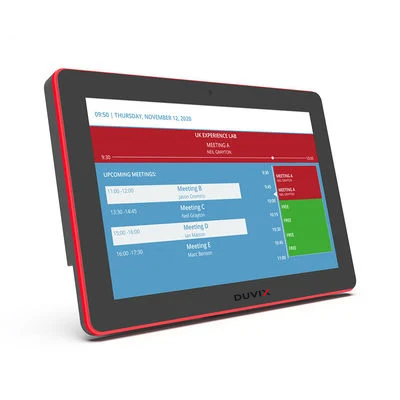
Try changing a real booking
Use a test room in your office calendar. Create a recurring meeting, move one occurrence and cancel another. Watch the door display after each change. Ask which calendar service, permissions and licences the proposed setup needs.
Read the screen from the corridor
Stand where someone approaching the room would first glance at the display. Check that the room name, availability and next free time are clear. Decide whether visitors should see meeting titles or only a busy status.
Pilot one meeting room
Before equipping a whole floor, try one room for a working week. Ask reception and staff to report stale bookings, confusing controls and unexpected offline behaviour. Include the door-frame material, cable route and number of rooms in your quote request.
Explore DUVIX displays · Request a quote
What to test in the meeting room
Test whether a change to a real calendar booking updates the door display and how private meeting titles appear.