
Smart Projectors with Netflix in Malaysia: Check App Support
Buying a smart projector with Netflix in Malaysia? Check native app support and whether an external HDMI streaming device is needed.
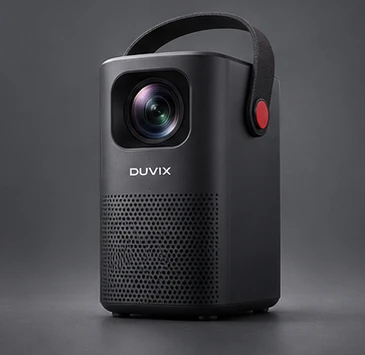
Verify the exact model
Ask to see Netflix opened from the projector’s own app menu on the same model and regional firmware you’re buying. Check whether the app comes installed or is available in the supported app store. Confirm playback quality and remote navigation if you plan to use it every day.
Plan an HDMI streaming option
A Netflix-supported streaming device can provide a simpler route if the projector lacks a supported app. Check the projector’s HDMI port, power the streamer as specified and test picture and sound through your actual speaker setup. A browser demo or a phone mirrored to the projector tells you little about direct app playback.
Check the practical details
Run a short playback test over the Wi-Fi you intend to use. Listen for fan noise during quiet dialogue and see whether subtitles stay easy to read from your usual seat. For an easy-to-move setup, compare weight, power and placement in the mini projector buying guide.
Reference guide from Netflix Help Center.
What to compare before buying
Ask for a playback test in the official Netflix app on the exact model before buying in Malaysia.